
Firmware 4.0 is the biggest update Baldrick boards have ever had, and it's free on every Baldrick board. Months of work and over 200 changes: a new web UI, a completely rewritten pixel stack, CunningFX 2.0, scheduling and Busk Board 2.0. This is a preview, so please read the important bit before you put it on a board that matters.
Web UIA brand new dashboard
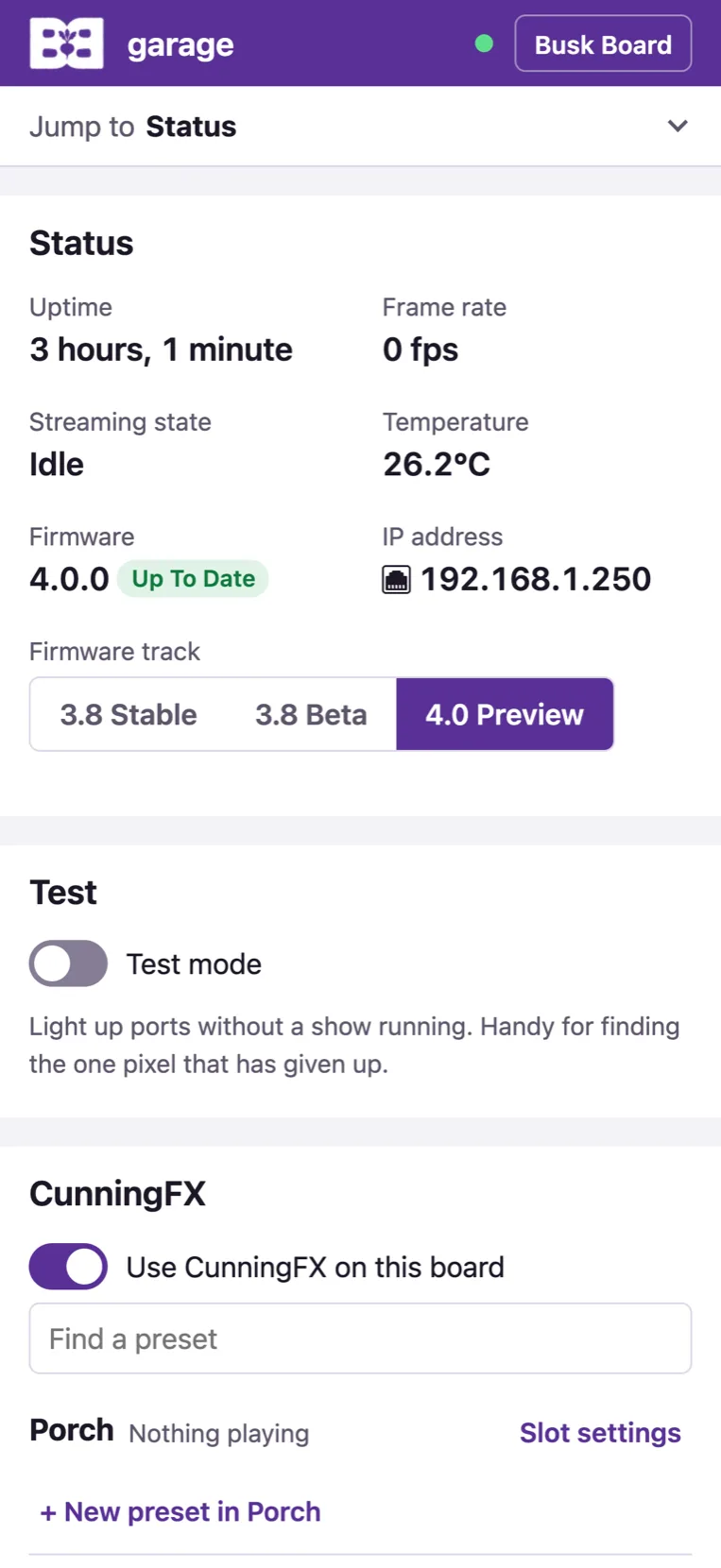
Every board gets a new web page. It's laid out the way you use it, and you change settings where you see them.
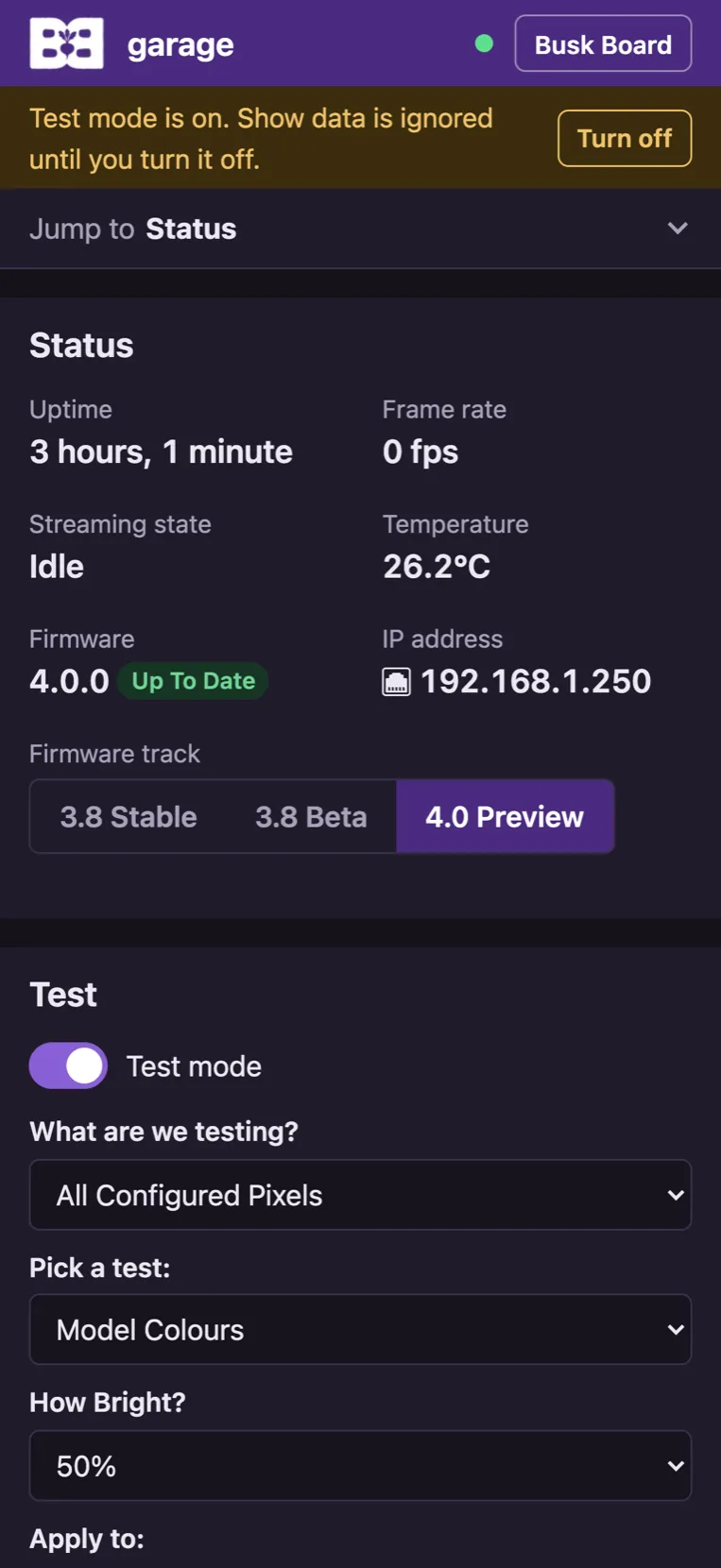
- Dark mode. It follows your phone or computer, or you can pick light or dark yourself.
- Faster and leaner. Pages load quicker and use less of the board's memory.
- Test mode is one switch. Turn it on and pick a pattern, like Model Colours, which lights each model in its own colour.
- Switch firmware between 3.8 Stable, 3.8 Beta and the 4.0 Preview on the Status card.
- An improved Busk Board, more on that further down.
PortsSee every port at a glance
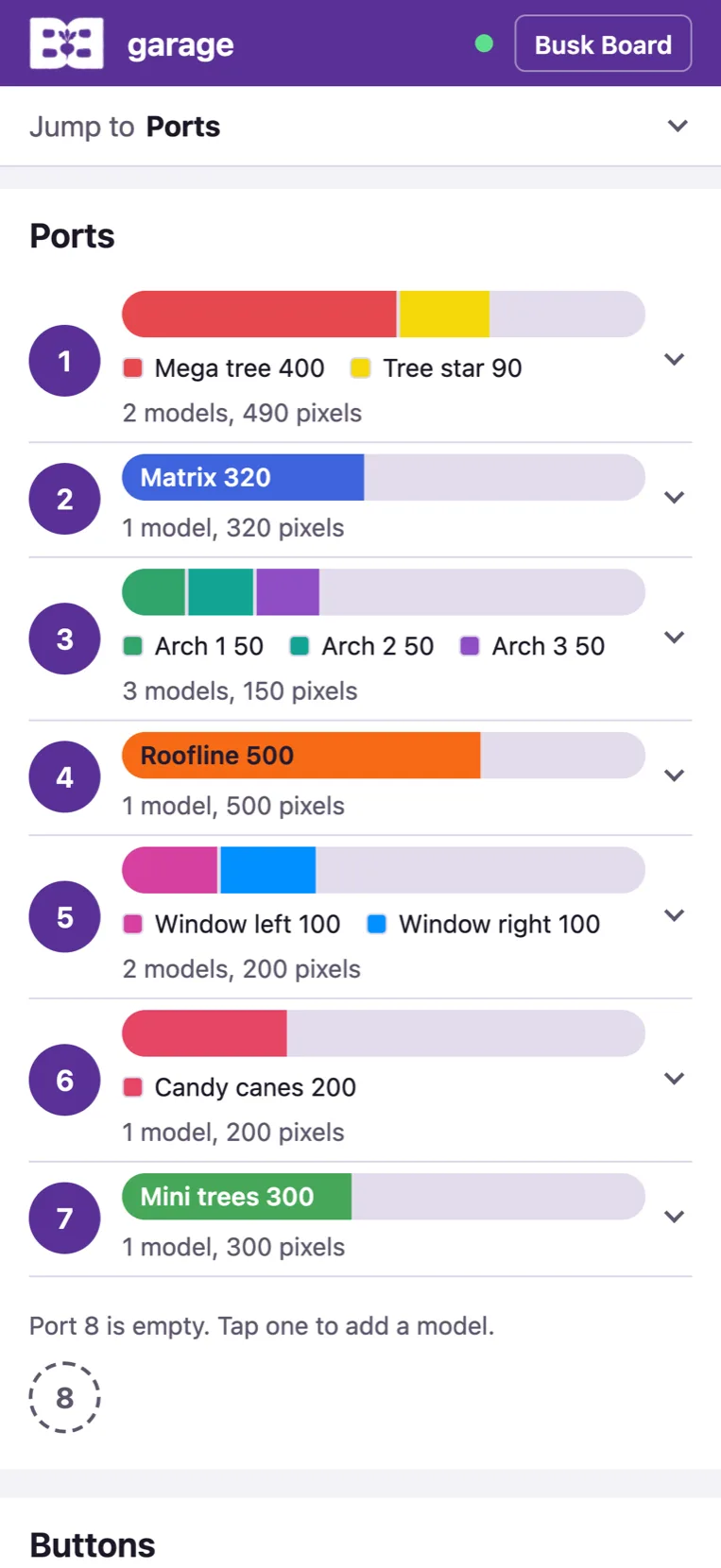
Each port shows its models as a bar, in the order they light, so a missing model or a wrong pixel count stands out, and you can see how much room is left.
- Tap a model to change it.
- Drag a model along the bar to move it.
- Tap an empty port to add a model to it.
PixelsA rewritten pixel stack
The pixel engine has been rewritten from scratch, and every model now has the settings clever props need. You'll find them under Fiddly bits when you open a model.
- Zig Zag for matrix panels wired back and forth. Tell it how many pixels are in a row and the board turns every other row round. The drawing shows you how it's wired.
- Group Count lights pixels in groups, so several pixels act as one.
- Null pixels skip dark pixels before or after a model, per model.
ScheduleSchedule your buttons and effects
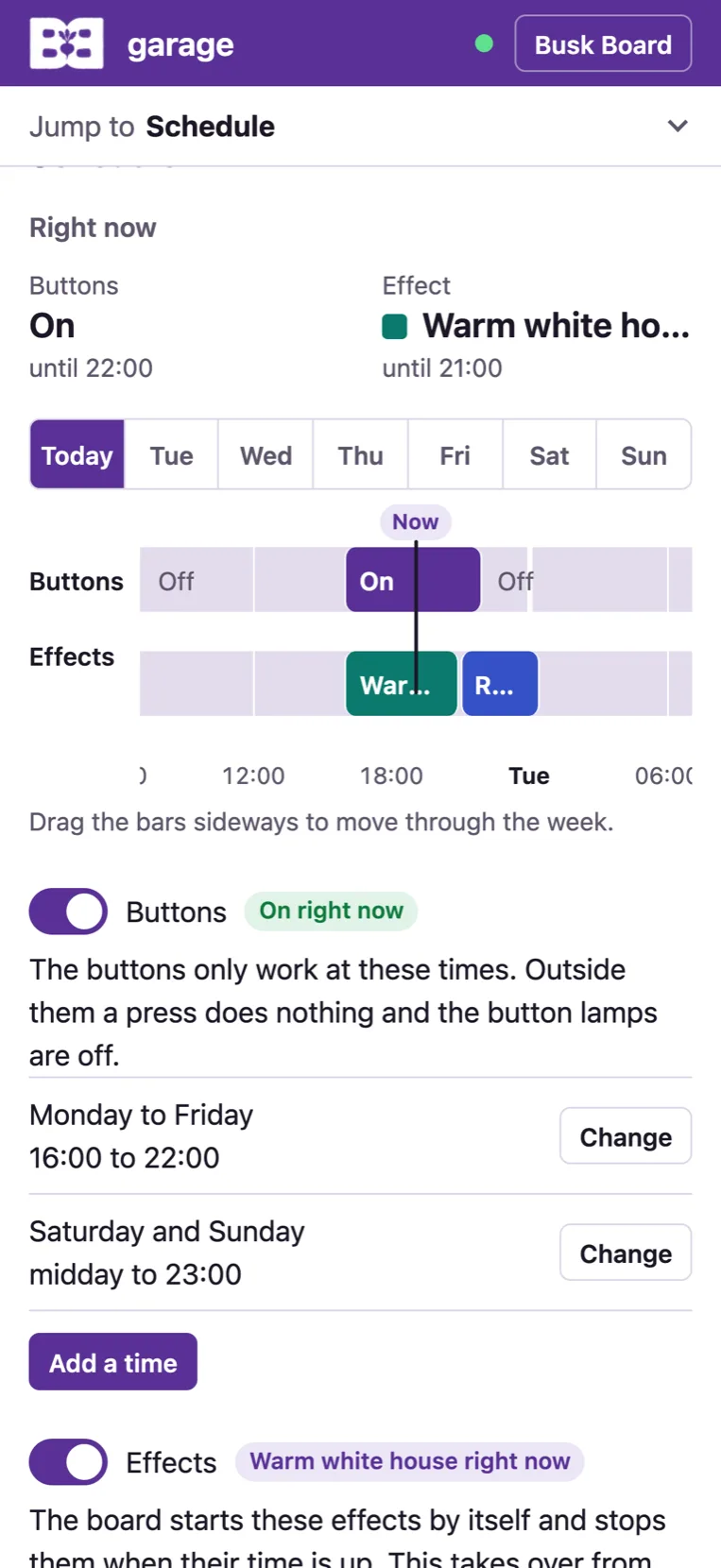
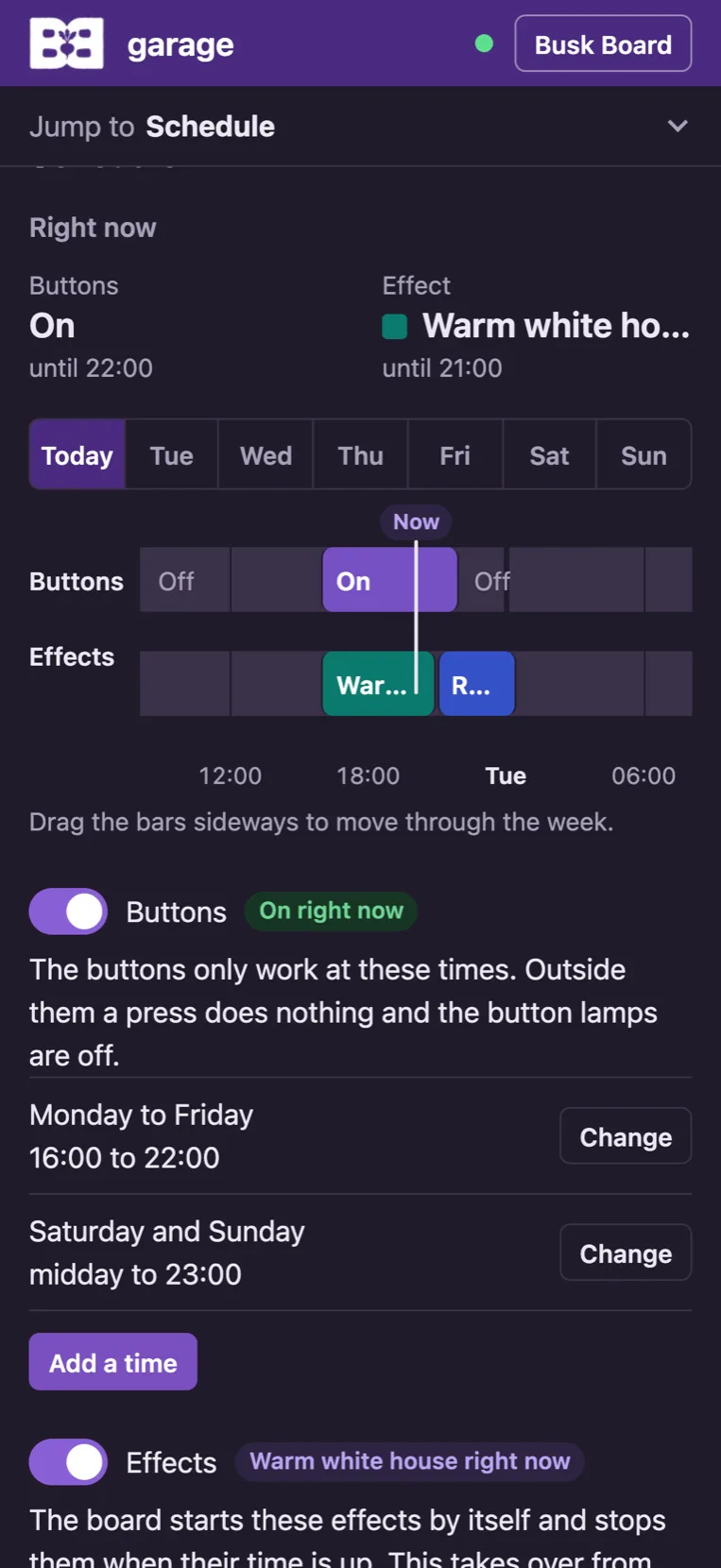
Boards can now keep a schedule of their own.
- Set when your buttons work. Outside those times a press does nothing.
- Pick a CunningFX preset for each evening, and the board starts and stops it by itself.
- Drag the week sideways to see what's on and when.
Boards share the time over Turnip Network. One board with a clock chip (RTC) keeps the others in sync, even with no internet.
CunningFXCunningFX 2.0: run more than one look
CunningFX has grown up.
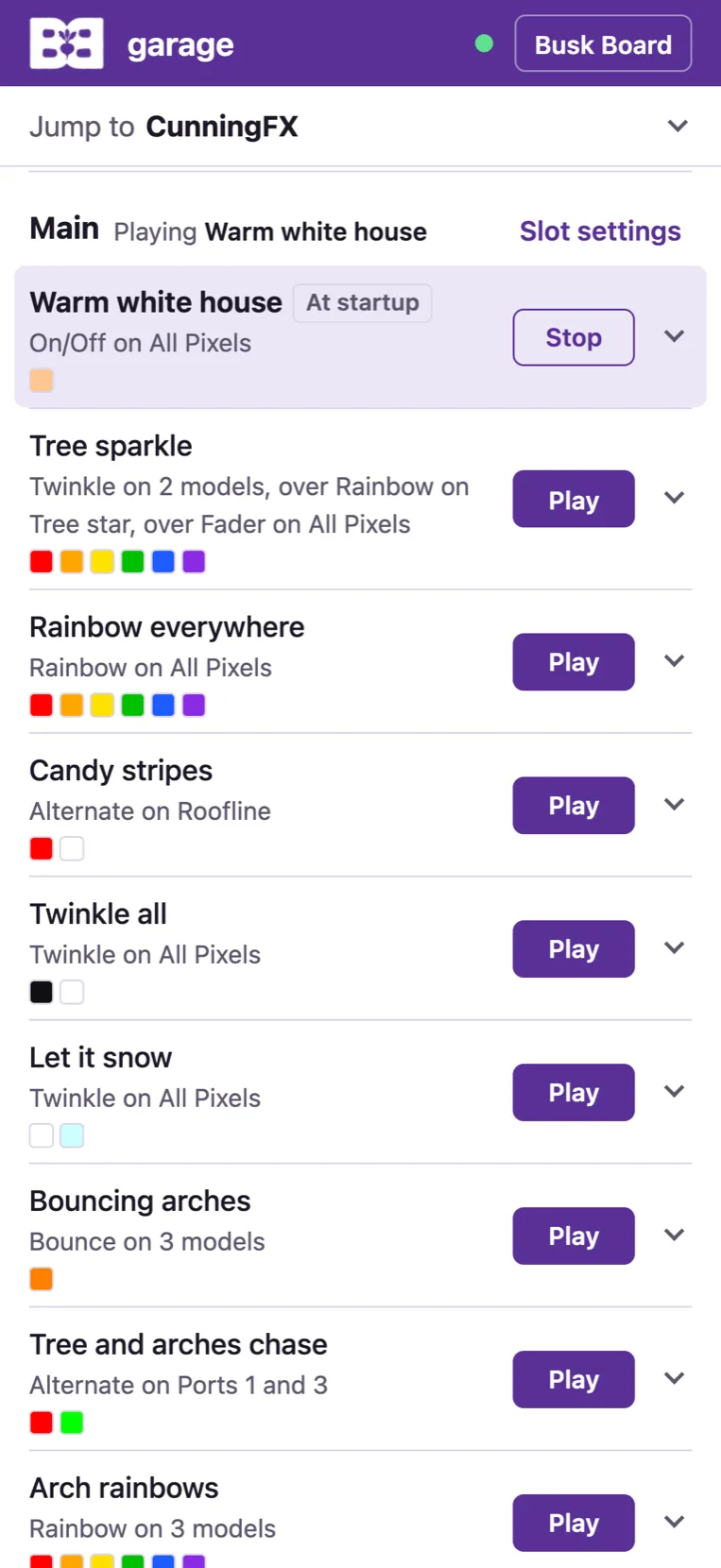
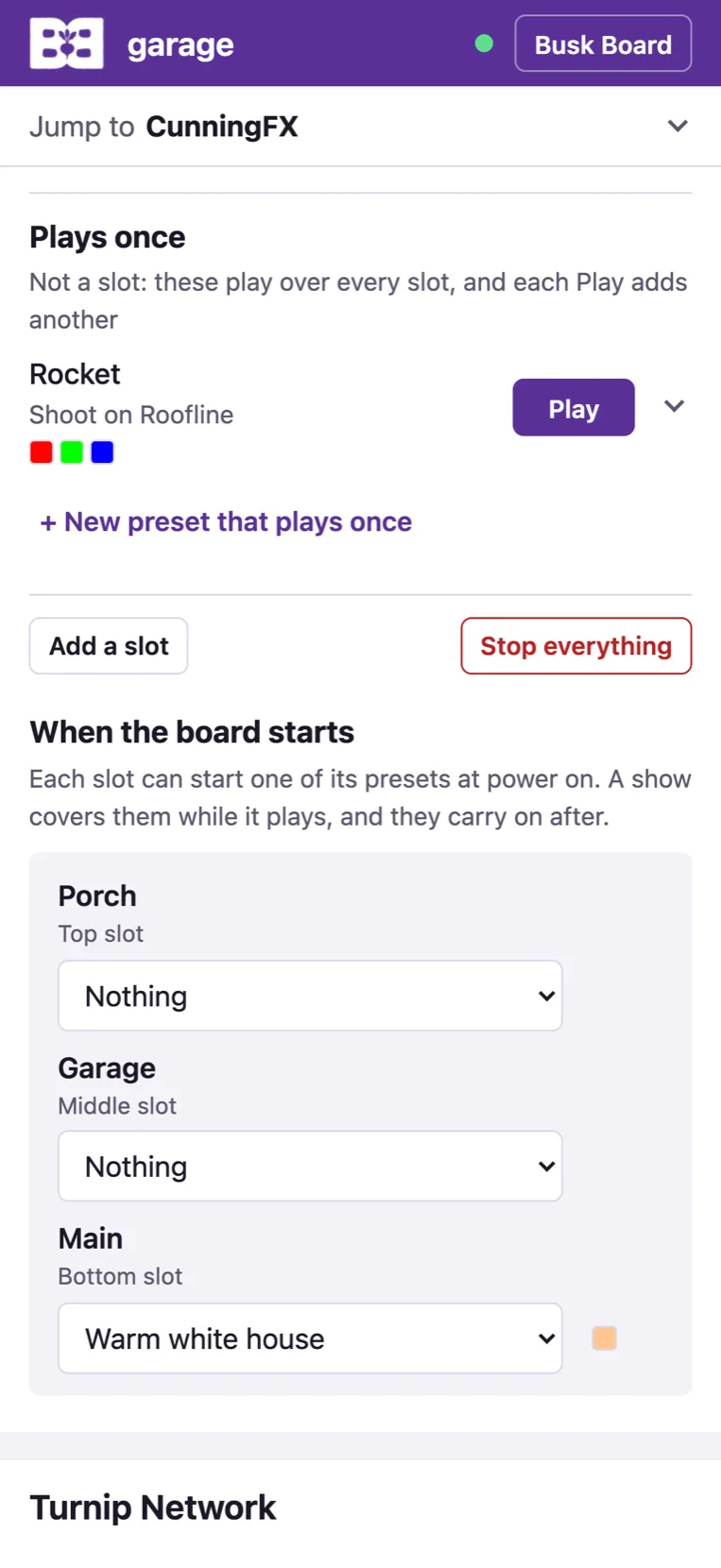
- Presets live in slots. Starting one only replaces what's playing in its own slot, so the porch can twinkle while the house stays warm white.
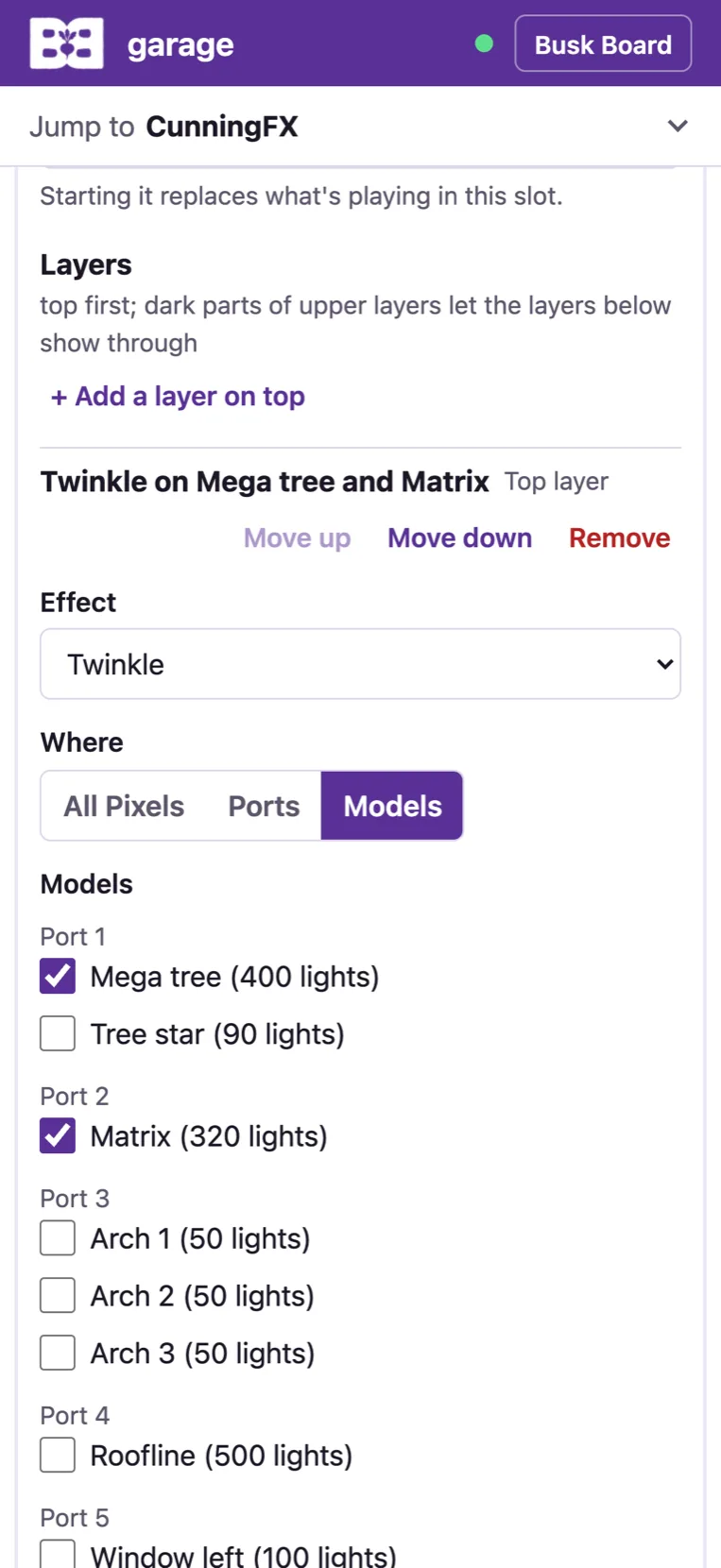
- Layers stack in one preset. Black is see-through, so the layers below show.
- Each layer can play on all pixels, a few ports or a few models. Each one plays the effect from its own start.
- Play once fires an effect over everything else. Press again for another, up to eight at a time.
- New effects: Fire, Wipe, Gradient and Shoot. Alternate can chase too.
- Dedicated ports keep CunningFX running on the ports you choose while a show plays on the rest.
Busk BoardBusk Board 2.0
Busk Board turns your phone into big buttons for your looks. In 4.0 it does more.
- It runs on the board. A button keeps going when you close the page.
- It shows each stage of a button's sequence as it plays, with how long is left.
- More control over sizes. Make a button large, wide or tall, so the looks you use most stand out.
Please readRemember, this is a Preview Release
It's the most anticipated release of 2026 (GTA who?). Months of work, over 200 changes and a completely rewritten pixel stack. We've tested it on our Kluster, but now it needs real-life testing.
If you've got 2,000 people waiting for blinky lights, don't use this.
Spare time, and you fancy breaking something? Go for it.
There… will… be… bugs…
You can switch back to 3.8 Stable whenever you like, the same way you switched to the preview. If you really break something, you might need a B3 reset.
Get itHow to get it
- Update your board to the latest 3.8 release. A new 3.8 release brings the firmware track switcher, so you need it first.
- Open the board's web page and find Firmware track on the Status card.
- Pick 4.0 Preview.
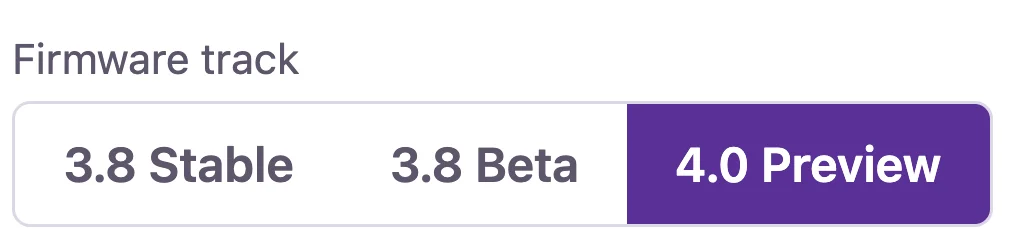
To go back, pick 3.8 Stable in the same place.
FeedbackTell us what you find
Good or bad, we want to hear it. Tell us in the Facebook group, or raise a triage case if something has gone wrong on your board.