Case #668863
I click let’s go and it installs and then reboots after rebooting it disappears from the network and I cannot see it
Current Issue
I have bought a brand new baldrick board 8 v1.x first time using it. When I first power up it shows that it needs to install v3.5.4. I click let’s go and it installs and then reboots after rebooting it disappears from the network and I cannot see it. I press hard reset and brings me back to install again. What am I doing wrong if anything?
What have they tried?
Trying pressing button 3 and trying again. Scanning the network and no sign of the board
Photos & Media

IMG_0637.png

IMG_0638.png
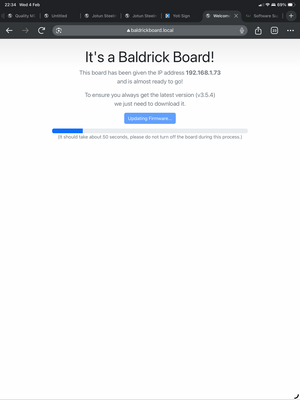
IMG_0639.png
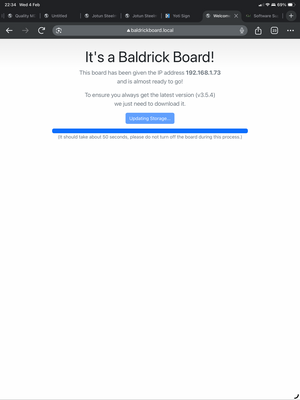
IMG_0640.png
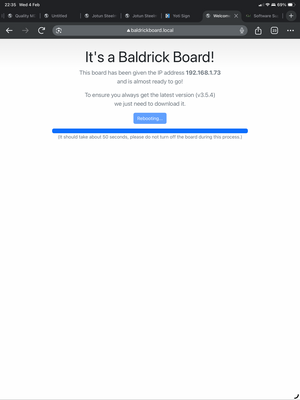
IMG_0641.png
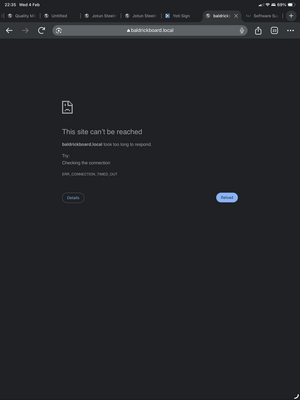
IMG_0642.png
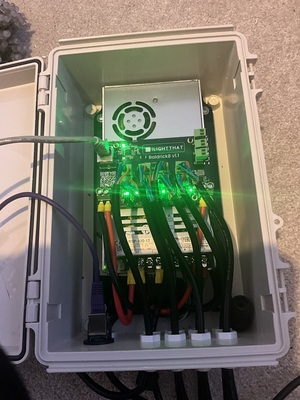
image.jpg
Baldrick Board System State
{"board_manufacturer":"ILightThat","board_model":"Baldrick 8 Port v1.1","flags":5,"temperature":[24.9375],"network":{"ethernet_available":true,"wifi_available":false,"ethernet":{"ip_address":"192.168.1.73","subnet_mask":"255.255.255.0","gateway":"192.168.1.254","dns":"192.168.1.254","connected":true}},"ota":{"updatable":[{"current_firmware_version":"v5.2.7","current_factory_version":"v5.2.7","current_bootloader_checksum":"32ab0d624bb399dfd976b2158905546e","current_partition_checksum":"9c57a76ed996748ee7393a41df755985","available_firmware_version":"v3.5.4","available_factory_version":"v5.2.7","available_bootloader_checksum":"32ab0d624bb399dfd976b2158905546e","available_partition_checksum":"9c57a76ed996748ee7393a41df755985"}]},"network_throughput":0,"last_settings_update":2144131824}Affected Boards
Case Details
Thomas bennett
Wednesday, February 4, 2026
at 10:41 PM
System Information
Don’t know
Windows
Possible Solutions

ChatBotDom suggests
Unable to connect to board
Whilst this might be out of my power to solve, double check that the power cables are thick enough for the controller, that the ethernet is going to a router or switch. (The Baldrick won't work connected directly to the computer if it doesn't have a DCHP server).
If that doesn't work swap out the ethernet cables are those things can be finicky, take a look at the ethernet power, both lights green and orange should be flashing.
Wrong pixels are lighting up when played from xLights
Normally this indicates that something has changed on the layout but the controllers hasn't been updated, if you can re-render the sequence then save, then go to the controllers tab in xLights and click Upload Outputs to the relevant controller.
Wrong pixels are lighting up when played from FPP
Normally this indicates that something has changed on the layout but FPP hasn't been updated, if you can re-render the sequence then save, then FPP Connect and make sure UDP Out is set to ALL.