
The Hodgical Test is a mode on the Baldrick8 which allows for easy debugging of pixel and model issues.
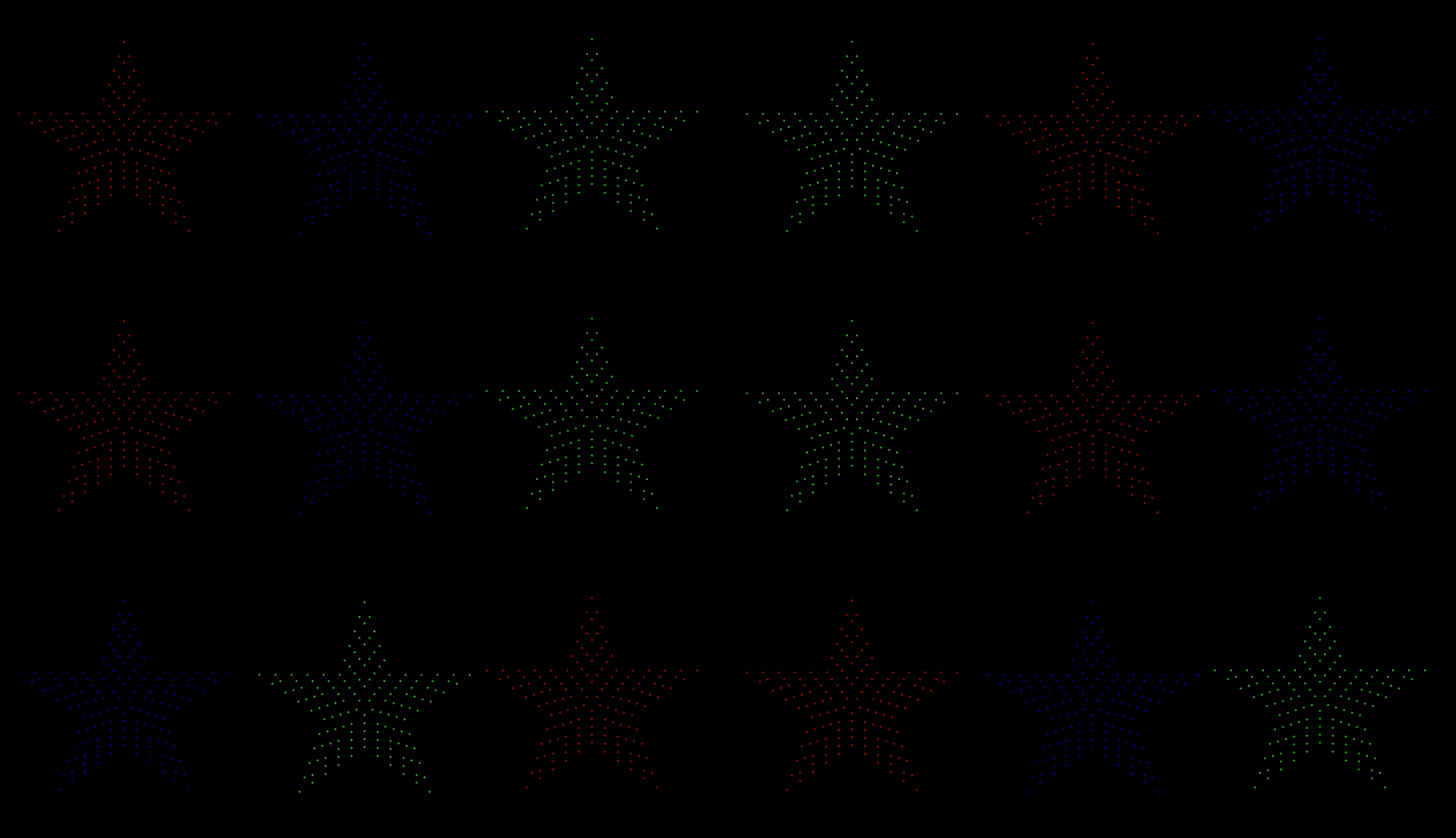
The Hodgical Test runs the RGB cycle on each model on a port but each subsequent model starts with the subsequent colour.
DemoVisual example
PatternHow it works
You can see here these three stars on the same port:
Star 1
Starts with RED, then goes GREEN then goes BLUE
Star 2
Starts with GREEN, then goes BLUE then goes RED
Star 3
Starts with BLUE, then goes RED then goes GREEN
If we had a star four that would go RED then GREEN then BLUE.
WhyWhy Hodgical Mode
This allows us to quickly:
Debug pixel issues
Check if pixels are failing on any specific colour value.
Verify model setup
Confirm the models are set up correctly — is half of your snowflake the wrong colour?
Quick demo
Put something up on the house when someone comes over and wants to see it working.
Because it was an idea from Dom Hodgson (although obviously Pete did all the work) and so obvious his ego wouldn't let it be named something NORMAL.
RGB vs washWhy RGB, why not a colour wash?
A colour wash starting at different times on props can be overwhelming with colour and takes longer to debug issues (it also doesn't look as good as you might think).
Colour wash problems
Overwhelming with colour, takes longer to debug and doesn't look as good as expected.
RGB cycle benefits
Clear colour separation, easy to identify issues, professional appearance and quick debugging.
Use casesPractical applications
- During setup — verify all pixels are working, check colour order is correct, identify dead or stuck pixels and test power distribution.
- During shows — quick visual check of system health, demonstrate the system to visitors, identify issues during operation.